AboutTermsPrivacyContact
 
Updating
Drone On My Phone

Drone On My Phone

Released: 2016-12-20
© 2016 Ben White
Drone On My Phone - QR Code
Version 1.4
4+
Download on the App Store
Version 1.4
4+
Download on the App Store
Released: 2016-12-20
© 2016 Ben White

iPhone Screenshots

Screenshot
Screenshot
Screenshot
Screenshot
Screenshot
Screenshot
Screenshot

iPad Screenshots

Screenshot
Screenshot
Screenshot
Screenshot
Screenshot
Screenshot
Screenshot

Description

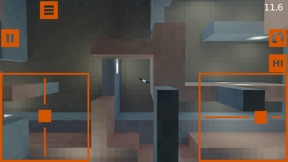
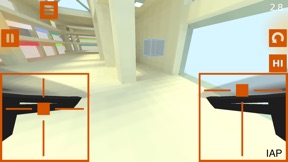
Want to learn how to fly a drone or improve your FPV flying skills? Drone On My Phone has been designed by the makers of Electric RC Sim to help you learn and improve faster. It includes challenges for both FPV (First Person View) and LOS (Line Of Sight). Many challenges are free and there is no third-party advertising.
Drone On My Phone now includes larger open maps if you'd rather just fly and focus on freestyle or doing things your way.
Drone On My Phone includes MFi game controller support. iOS 13 and higher supports PS4 and Xbox controllers. VR mode is available with a game controller and suitable headset, including both 2d view (like FPV goggles) and 3d view options.
Drone On My Phone also includes Bluetooth multiplayer racing. Challenge a nearby friend with Drone On My Phone over bluetooth.
Drone On My Phone uses our realistic physics engine. Beginner challenges are performed with the full physics engine and additional stabilization to simplify flying while you are still learning. This is designed to allow you to learn the skills you need a bit at a time rather than being overwhelmed with too much to remember at once. Skills to practice include hovering, landing and flying through gates.
When you feel you are ready, there are more advanced challenges to try. High and low rates are also available. Start low while you are learning, then switch to high rates when you are ready to go faster.
Drone On My Phone also includes a Games map which consists of a number of obstacle courses to fly. These are fun and will help improve your hovering and maneuvering skills.
Additional maps with more challenges are available as a low cost In-App Purchase (IAP) to help you take your skills to the next level. An Advanced Controller is available as a low cost IAP that allows you extra control over things such as expo, rates, FPV camera tilt, and drone mode. The default drone mode is STAB (also called angle mode), which gives automatic stabilization and is great for learning. It's the mode that most store-bought drones use. ACRO drone mode (also called rates mode) is also available via the Advanced Controller for advanced flying such as loops, flips, barrel rolls and maximum speed flying.
To enable a game controller, first pair your controller under iOS Settings, Bluetooth. Button bindings are shown under the Options menu in Drone On My Phone. Once a controller is paired, you can enable VR mode by pressing the appropriate button on your controller. VR mode requires a suitable headset to view properly, such as a Google Cardboard headset.
To challenge a nearby player over Bluetooth, both players should first start Drone On My Phone and go to the "Challenges" page. One player can then press "Host", and the other player can press "Join". When they are connected, the player who is hosting can select challenges and both players can compete in real time. All the free challenges are available to choose from. Also, if the host has purchased additional challenges, then all those challenges will be available as well. Bluetooth has a range of around 20m (60 feet), so you'll want to be sitting near each other. Perfect for that long bus ride or car trip!
We hope you have as much fun playing Drone On My Phone as we had making it (and playing it!)
Here are some of the great App Store reviews we've been getting:
"This is my favorite drone app by far!! Great for a beginner like me trying to learn the basics of flying a real drone."
"... if you can fly successfully using this app, you'll be able to fly the drone of your choice in the real world. The physics are realistic, and the obstacle course style training – in my opinion – is a really great way to learn to control your quad."
"I've been searching for far too long for a good FPV simulator to practice or just play around when I'm at school. This game's physics are some of the closest to life you will find at the time and the controls are spot on!"
"Hands down the best drone simulator on iOS"

What's New in Version 1.4

We are proud to finally announce a new update! It includes some widely requested and long overdue features:
- much bigger maps, no timers, practice freestyle etc
- rework of drone control PIDs, hopefully flies better now
- adjustable screen size for clipped ends and VR on big phones
- minor tweaks and bug fixes
We hope everyone enjoys the new updates as much as we enjoyed creating them. As usual, please keep the feedback and suggestions coming in and all the best for 2023.

Seller

Name

Ben White

URL

Information

Categories

Version

1.4

Size

21 MB

Game Center

No

VPP Device Licensing

Yes

Rating

Rated: 4+

Compatibility

iOS 12.0 or later

Devices

iPhone 5s, iPhone 6, iPhone 6 Plus, iPhone 6s, iPhone 6s Plus, iPhone SE, iPhone 7, iPhone 7 Plus, iPhone 8, iPhone 8 Plus, iPhone X, iPhone XR, iPhone XS, iPhone XS Max, iPhone 11, iPhone 11 Pro, iPhone 11 Pro Max, iPhone SE (2nd generation), iPhone 12, iPhone 12 Pro, iPhone 12 Pro Max, iPhone 12 mini, iPhone 13, iPhone 13 Pro, iPhone 13 Pro Max, iPhone 13 mini, iPhone SE (3rd generation), iPhone 14, iPhone 14 Plus, iPhone 14 Pro, iPhone 14 Pro Max, iPad (5th Generation) Wi-Fi, iPad (5th Generation) Wi-Fi + Cellular, iPad (6th generation) Wi-Fi, iPad (6th generation) Wi-Fi + Cellular, iPad Pro, iPad Pro (Cellular), iPad Pro (9.7-inch), iPad Pro (9.7-inch) (Cellular), iPad Pro 12.9-inch (2nd generation), iPad Pro 12.9-inch (2nd generation) Wi-Fi + Cellular, iPad Pro (10.5-inch), iPad Pro (10.5-inch) Wi-Fi + Cellular, iPad Pro (11-inch), iPad Pro (11-inch) Wi-Fi + Cellular, iPad Pro 12.9-inch (3rd generation), iPad Pro 12.9-inch (3rd generation) Wi-Fi + Cellular, iPad Air, iPad Air (Cellular), iPad Air 2, iPad Air 2 (Cellular), iPad Air (3rd generation), iPad Air (3rd generation) Wi-Fi + Cellular, iPad mini Retina, iPad mini Retina (Cellular), iPad mini 3, iPad mini 3 (Cellular), iPad mini 4, iPad mini 4 (Cellular), iPad mini (5th Generation), iPad mini (5th Generation) Wi-Fi + Cellular, iPad (7th generation) Wi-Fi + Cellular, iPad Pro 11-inch (2nd generation), iPad Pro 11-inch (2nd generation) Wi-Fi + Cellular, iPad Pro 12.9-inch (4th generation), iPad Pro 12.9-inch (4th generation) Wi-Fi + Cellular, iPad Air (4th Generation) (Wi-Fi), iPad Air (4th Generation) (Wi-Fi + Cellular), iPad (8th generation) Wi-Fi, iPad (8th generation) Wi-Fi + Cellular, iPad Pro 11-inch (3rd generation), iPad Pro 11-inch (3rd generation) Wi-Fi + Cellular, iPad Pro 12.9-inch (5th Generation), iPad Pro 12.9-inch (5th Generation) Wi-Fi + Cellular, iPad (9th Generation), iPad (9th Generation) Wi-Fi + Cellular, iPad mini (6th Generation), iPad mini (6th Generation) Wi-Fi + Cellular, iPad Air (5th generation), iPad Air (5th generation) Wi-Fi + Cellular, iPad Pro 11-inch (4th generation), iPad Pro 11-inch (4th generation) Wi-Fi + Cellular, iPad Pro 12.9-inch (6th generation), iPad Pro 12.9-inch (6th generation) Wi-Fi + Cellular, iPad (10th generation), iPad (10th generation) Wi-Fi + Cellular, iPod touch (6th Generation), iPod touch (7th generation)

Languages

English

App Store: Customer Ratings

Ratings & Reviews

4.5 of 5 (11 Ratings)

App Store: Customer Reviews

2021-11-04

Can you make game audio mutable?

Everything great. Just can you add an option to mute game audio?
Sushrut1301
Version 1.3
2017-12-15

Already paid for for in app purchases

Lol never in my life thought I’ll pay for a game like this. Perfect for anyone who wants to learn to fly drones.
Extremely well done physics.
QuakeboyX
Version 1.2